1. Connect your game
Point Fate Tracker at the game you want protected. It learns how your game is organized and changes nothing inside it.
Fate Tracker keeps a build memory of your AI-built game: the moments you protected, the decisions you approved, and what actually changed — with verified recovery of earlier work into a separate folder. No coding knowledge required.
Local protection for your game builds. No account required.
A four-step story, using a fictional project.
The story plays by itself. The controls are there if you would rather take your time.
Point Fate Tracker at the game you want protected. It learns how your game is organized and changes nothing inside it.
One press makes a complete copy in a separate place you choose. Every included file is checked before the copy counts as done.
Review what changed after each AI session, and when something you loved goes missing, bring an earlier copy back into a separate folder.
Protected moments are content-verified snapshots: every included file is hashed with SHA-256 before a copy is marked complete, unchanged content is stored once, and stored content is re-verified before a later copy may reuse it. Recovery rebuilds a whole snapshot into a new, empty folder with per-file verification before and after — the live project is never written to. Everything runs offline on your PC.
Example protection receipt
Verified release evidence
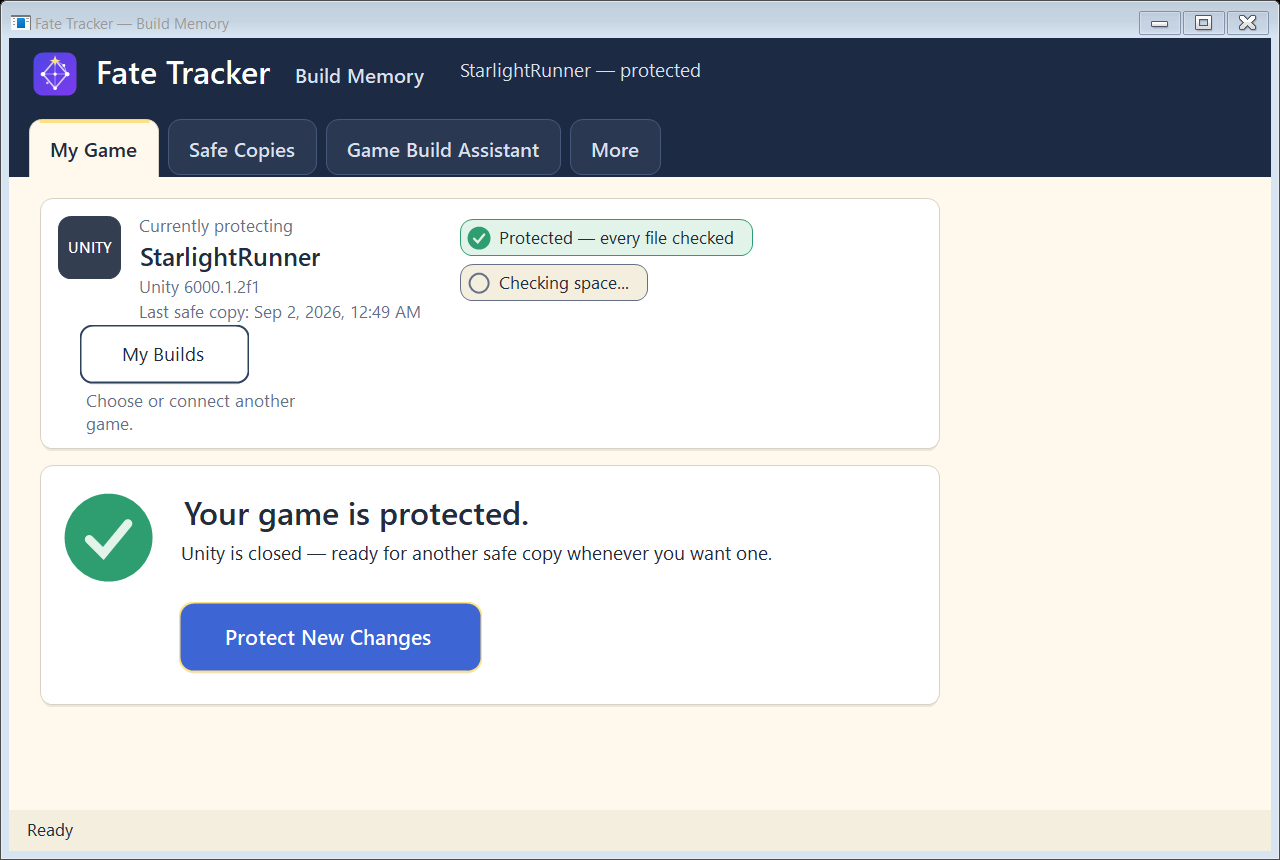
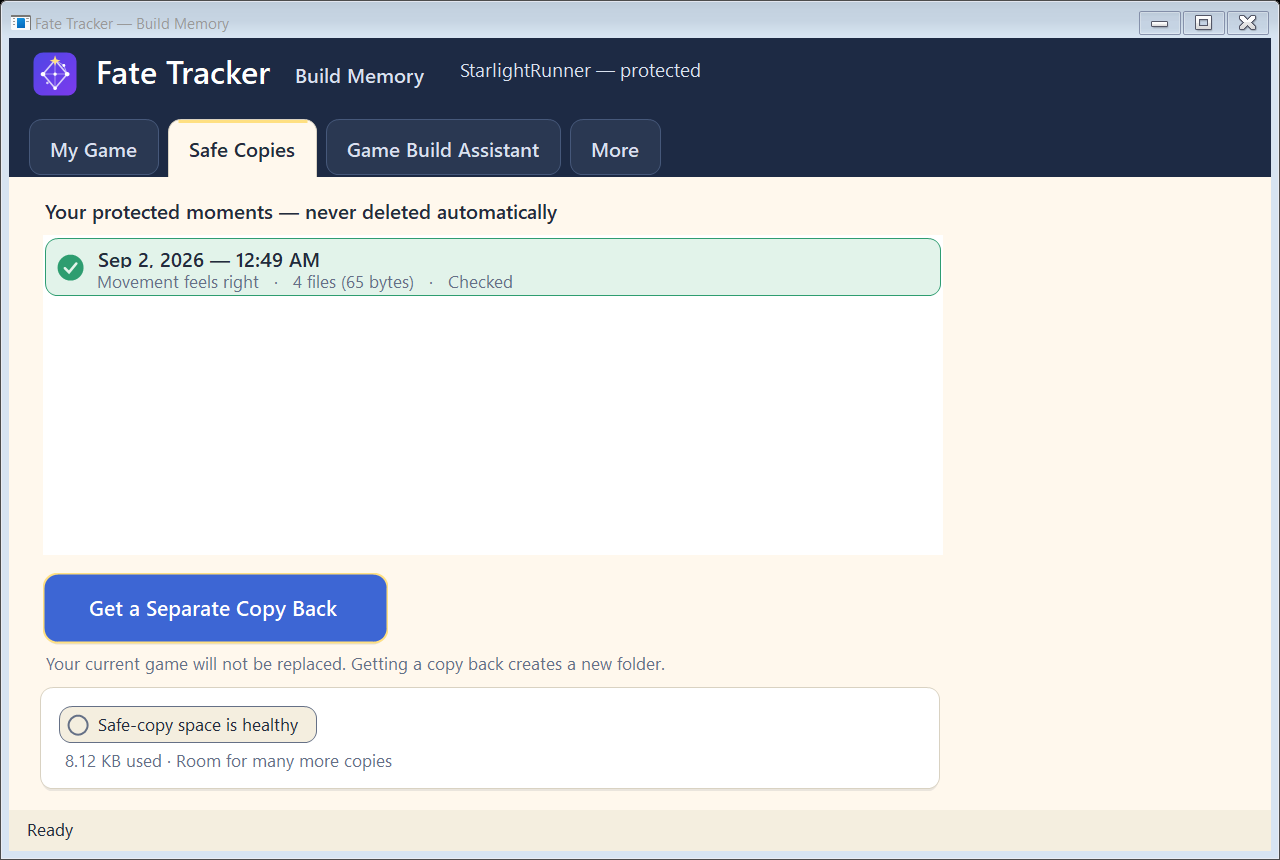
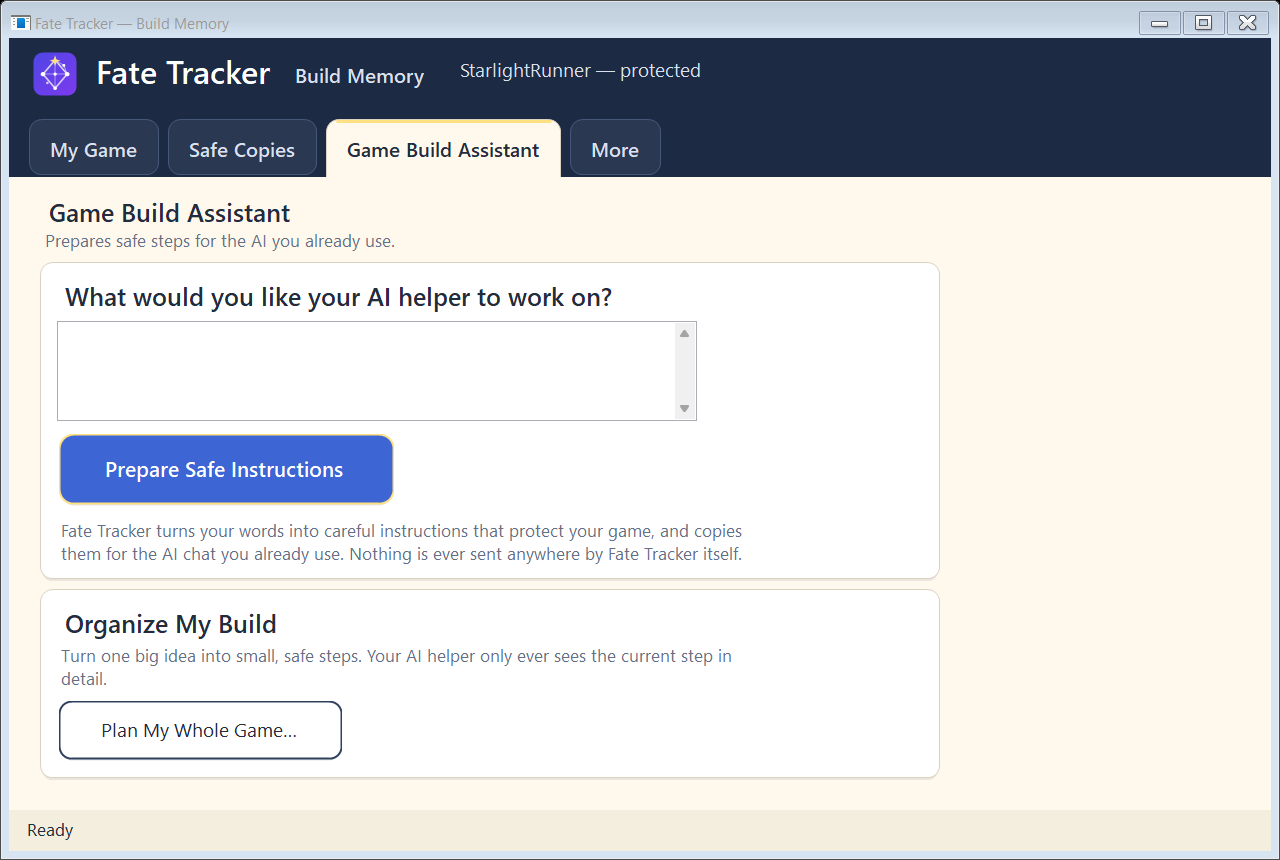
Screenshots show the current verified release with a fictional game project.
Everything it protects What it cannot protect Supported projects
You know what you want to create. Fate Tracker helps turn the work into smaller, protected steps.
You want room to try surprising ideas while preserving the versions that already work.
You remember an earlier character, movement system, visual effect, or layout. Fate Tracker helps you find the protected moment where it existed.
If any of these experiences feel familiar, Fate Tracker was designed with you in mind.
Moments like these are why Fate Tracker exists.
You spent three days getting the movement right.
A later AI change replaced it.
Fate Tracker remembered the earlier protected moment.
You can recognize the version that felt right, even when you do not know which code created it.
Earlier protected moment
The traveler hops between platforms, trailing light. The movement you loved is here.
Current version
The traveler stands still and the trail is gone. A later change replaced the movement.
Different tools preserve different parts of a project. Fate Tracker combines verified game-project copies with plain-language build memory and owner-controlled recovery. Here are six of the differences that matter most.
| Capability | Fate Tracker | AI editor undo or checkpoints | Manual folder copies | Traditional version control | Cloud builder history |
|---|---|---|---|---|---|
| Designed for a non-coder | Included | Varies by tool | Included | Usually not included | Varies by tool |
| Verifies the protected files | Included | Varies by tool | Usually not included | Included | Varies by tool |
| Keeps protected copies outside the working project | Included | Varies by tool | Included | Usually not included | Varies by tool |
| Carries approved decisions and remembered lessons into future AI sessions | Included | Usually not included | Usually not included | Usually not included | Usually not included |
| Separates assistant claims from measured file changes | Included | Usually not included | Usually not included | Available with setup | Usually not included |
| Can work locally without uploading the game project | Included | Varies by tool | Included | Included | Usually not included |
Capabilities vary between products and configurations. This chart compares common product categories, not every individual tool.
Local build protection and memory for people creating games with AI.
$49 one-time
Buy Fate TrackerFor Windows 11 (tested). Windows 10 is not advertised as supported until it has been directly tested
Runs entirely on your computer. No account, no subscription, nothing uploaded.
One purchaser · two personal Windows computers · use it indefinitely · updates for 12 months included
No. Fate Tracker speaks plain language, shows one clear next action at a time, and asks for your safety PIN before anything important so a request always comes from you.
Yes, that is the normal case. Connecting an existing game reads its layout and changes zero files inside it. Nothing needs to be moved, renamed, or restarted.
No. It works alongside the AI chat you already use: type what you want in one sentence and Fate Tracker prepares careful, bounded instructions for you to paste into that chat. Fate Tracker itself sends nothing anywhere.
No. Fate Tracker runs completely offline, with no account, no cloud, no telemetry, and no uploads. Your game and every protected copy stay on drives you choose.
The game projects you choose to connect, on your own computer. It makes complete, checked copies into a separate storage folder, remembers what changed between copies, and can rebuild an earlier copy into a new empty folder whenever you ask.
Yes. Every protected moment is a dated, complete copy. You can look through them, compare what changed, and pull an earlier copy back to explore.
No. Recovery always builds the earlier copy into a new, empty folder that you choose, with every file verified during the copy. Your live game stays exactly as it is.
You choose where copies live, and the Space Details view shows exactly what is used and what the next copy needs, in plain categories. Unchanged files are stored once, so repeat copies stay small. Fate Tracker itself never deletes anything.
Every PIN box has “I Forgot My PIN.” Your game and copies stay safe either way; your Recovery Card lets you choose a new PIN. Fate Tracker never stores the PIN itself.
Six random words and four digits, created on your computer with no internet and shown exactly once. Write it on paper or print it; it can make a new PIN if yours is ever forgotten.
Windows 11 (tested). Windows 10 is not advertised as supported until it has been directly tested. The customer installer is code-signed, so Windows names a verified publisher when you open it.
Unity, Godot, Unreal, GameMaker, Defold, RPG Maker, and a careful mode for other engines.
New versions install over the old one from a fresh download; your settings, PIN, and every protected copy carry over. Updates released during the first 12 months after purchase are included, and the version you bought keeps working afterwards. There is no automatic updater.
One purchase is for one person, on up to two personal Windows computers, for as long as you like. You can move it to a replacement computer when you stop using it on the old one. There is no activation and no account: Fate Tracker trusts you to keep to that.
Through Gumroad, which handles the checkout, card processing, sales tax and the secure download. Fate Tracker never sees your card details. Your receipt and download arrive by email from Gumroad.
Write to support@fatetracker.com. The support page explains what help covers, the three-business-day response target, and what support will never ask you for.
More questions, answered plainly System requirements Known limitations
Current verified release: 0.7.8, verified September 6, 2026 with 271 automated safety checks.
After purchase, Gumroad emails you a receipt with a secure download button. Every published download carries its own checksum so you can confirm the file you received is the one that was published.
How download verification works System requirements Known limitations
Reviewed answers from this site, searched on your device. This is not a live chat and nothing you type here is sent or saved.
Email support at support@fatetracker.com. First reply within three business days (a target, not a promise). Support is in English, Monday to Friday, Eastern Time.